Greenhouse Design Library

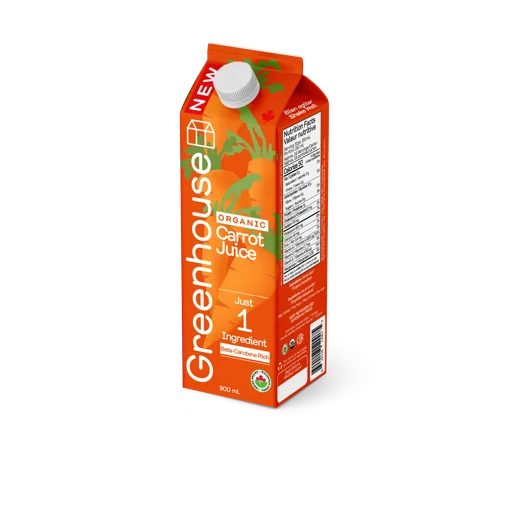

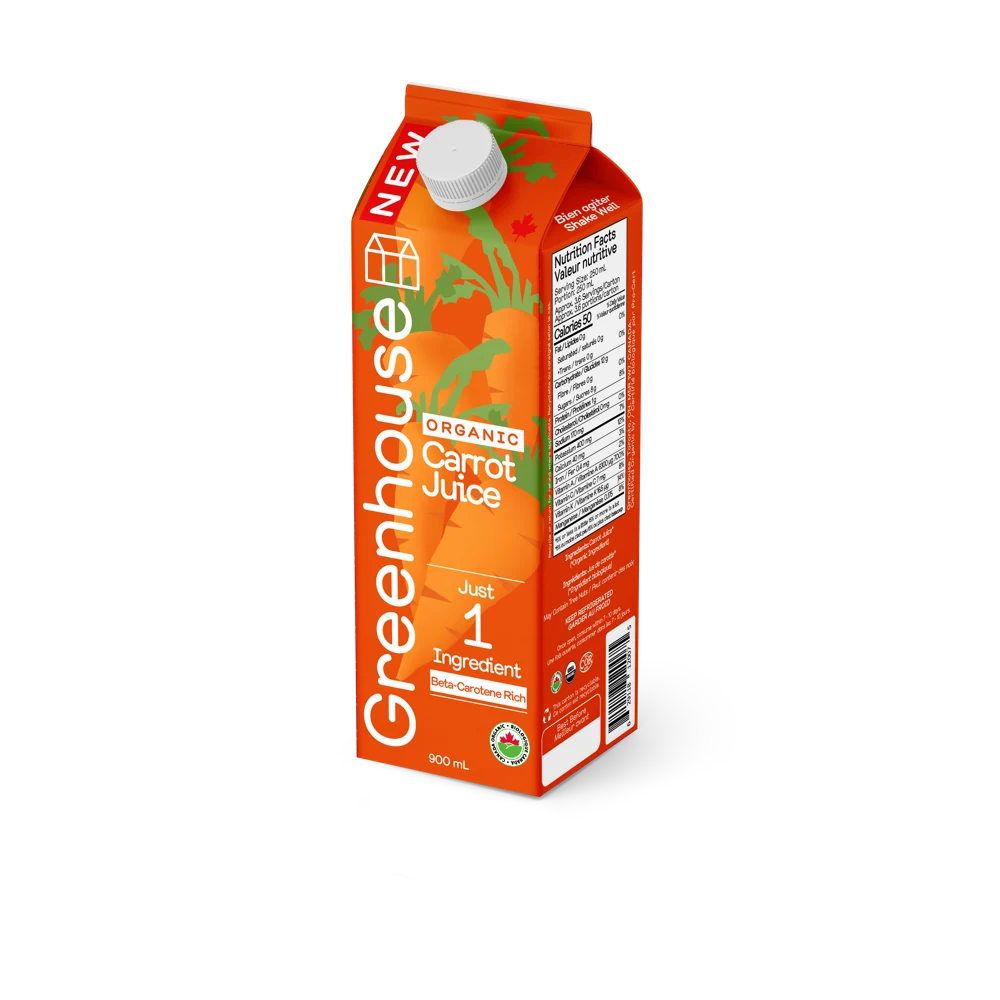
Cover: a walkthrough of finding a render in the final library and using it in my carrot launch email. It plays again at the end of Final design, where it is described step by step.
- Role
- Lead designer
- Team
- Sole designer
- Timeline
- 8 months, 2025-26
- Tools
- Figma, Figma Make, SharePoint, Claude
Context
As the only designer on the Innovation team, I brought 12 years of brand assets into one library for all 200 people at Greenhouse.
Impact
What difference did it make?
Designs ship about
3x
faster
People sent
20+
suggestions through the anonymous ticket system
Each person saves about
4 hours
every week
"Sophia thoughtfully brought together our brand assets into a comprehensive design library that helped us achieve a more unified look across everything we do."
 Jarka Rose Sales Manager
"Bringing all brand assets into one clear, organized hub has made our work so much more efficient and consistent."
 Fiena Yu Brand Manager
Problem
Twelve years of accumulated files
Greenhouse is a 12 year old company, and every year left design assets behind. They sat in one big share point, saved & named by whoever made them.
Before I designed anything, I wanted to answer a question nobody had asked yet.
Research
People couldn't tell me what was wrong
I interviewed 8 people across marketing, sales, internal teams and the chief of staff. The first conversations stalled. I asked what frustrated them, most people couldn't answer. I changed my questions. I asked about specific tasks instead of pain points. Asking about real tasks also showed me what each team needed. These were the key things users asked for, across sales, marketing, internal teams and design.
- Renders
- Photos
- Videos
- Barcodes
- Correct fonts
- Branding outline
- SOPs
- Templates
- Icons
- Presentation templates
- Sample copy
- Fruit illustrations
- Certifications
I then wanted to see their workflows in action. I requested each person to share their screen to look for an asset. Quickly, problems showed up. Files had no naming convention at all, and finding their targeted asset took an average of 7 clicks.
Three key findings & solutions
-
Nobody named things the same way.
I set a strict naming convention with a folder system to match, so a file's name told you what it was before you opened it.
Before
- logo final v2.png
- IMG_2041.jpg
- new logo (1) copy.png
After
- asset_product_country_date.png
-
Files were hard to find.
One long list of everything would have rebuilt the old mess in a new place. I grouped assets into a few clear categories instead.
Before 7clicksAfter 2clicks -
Every new asset started from zero.



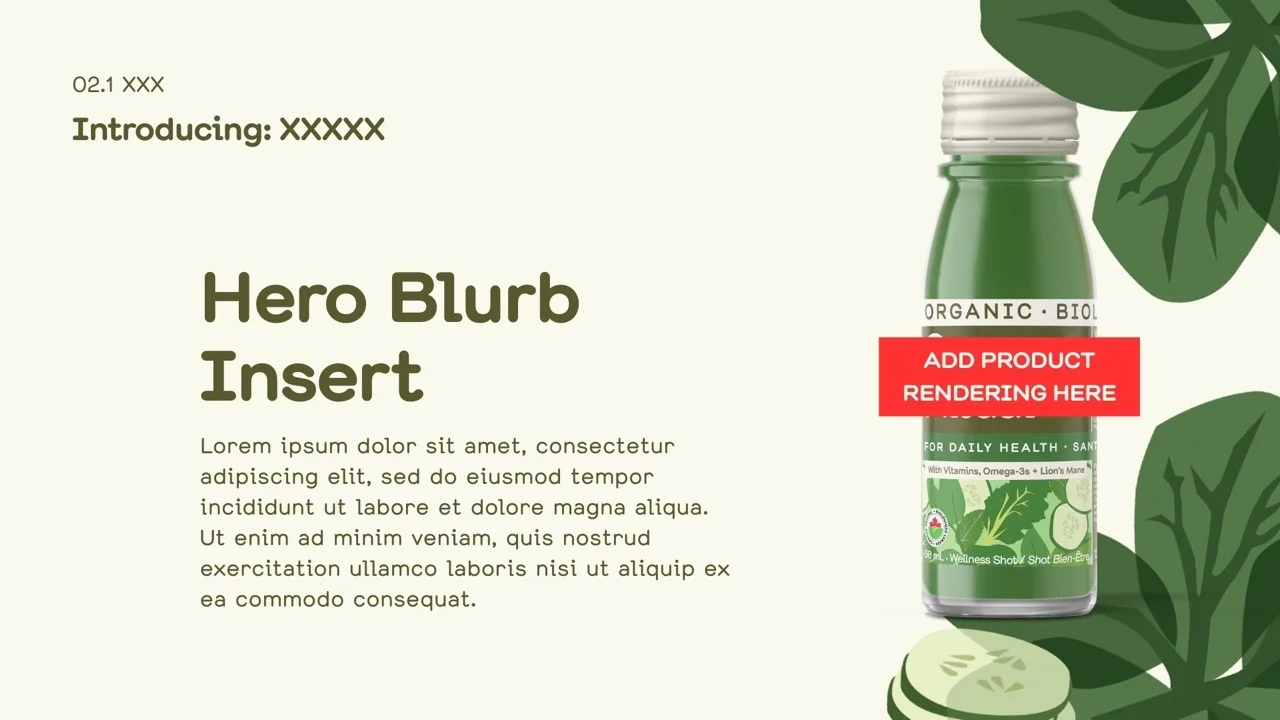
I planned to build reusable templates for presentations, emails and print, plus SOPs on how to use them.
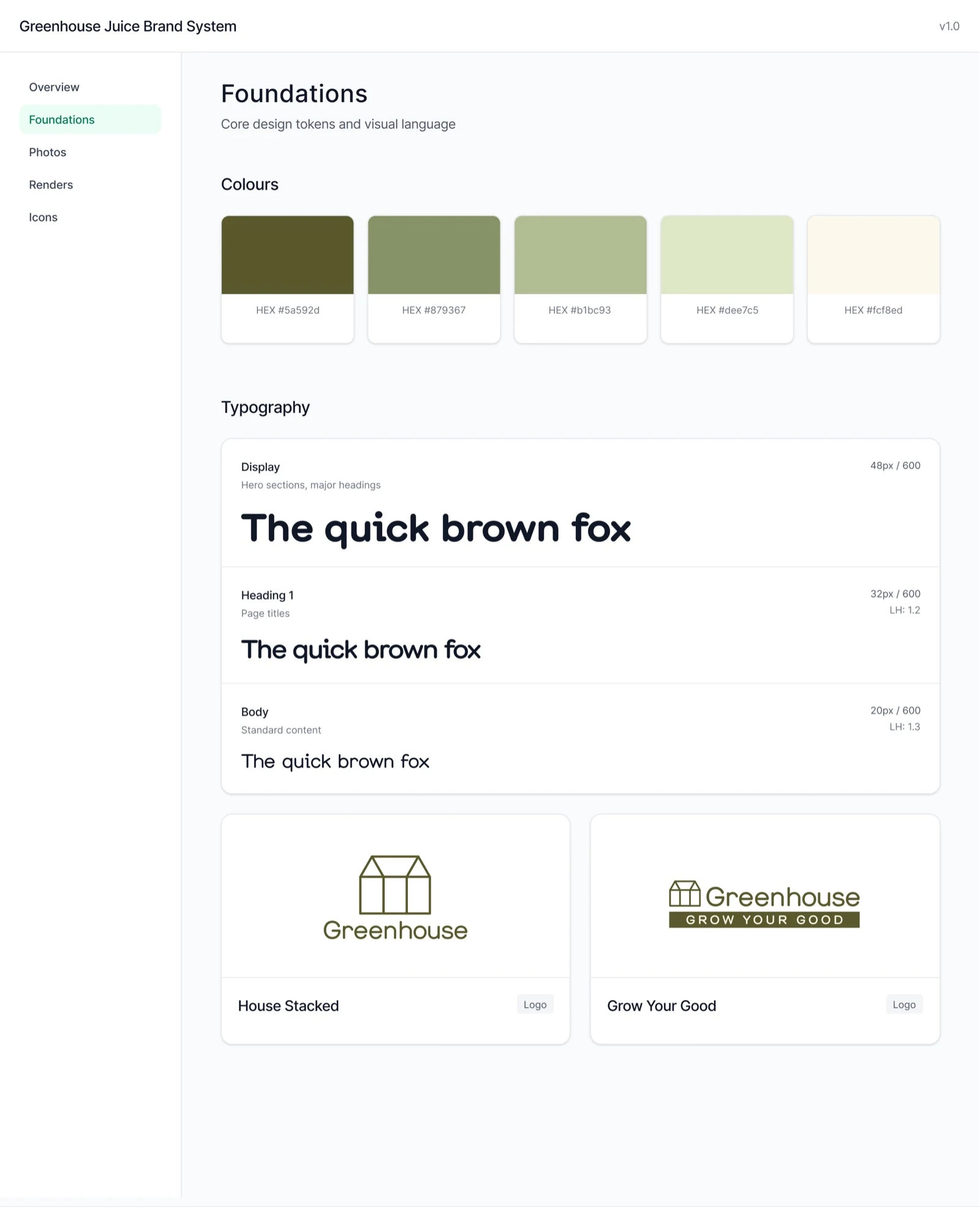
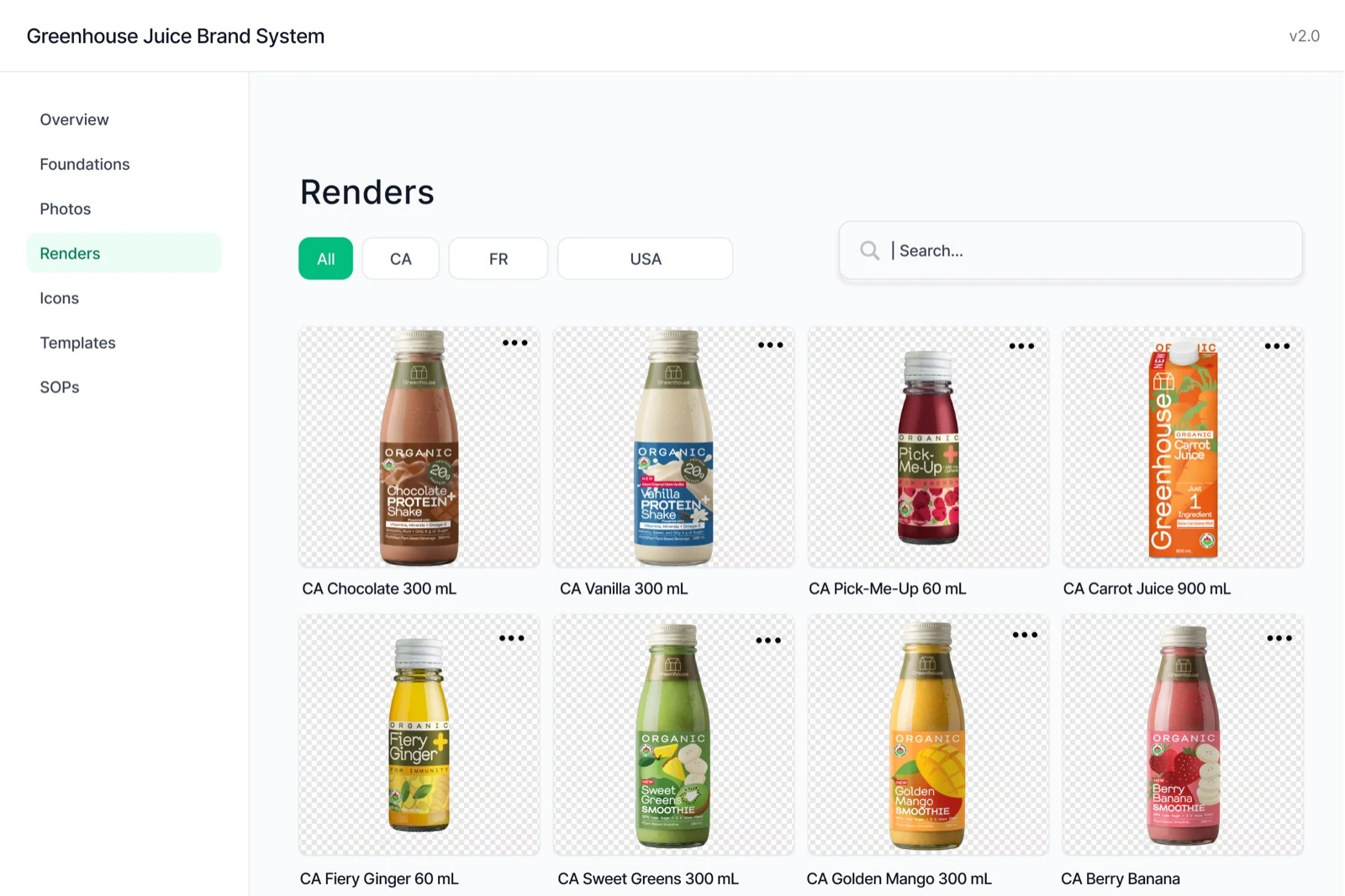
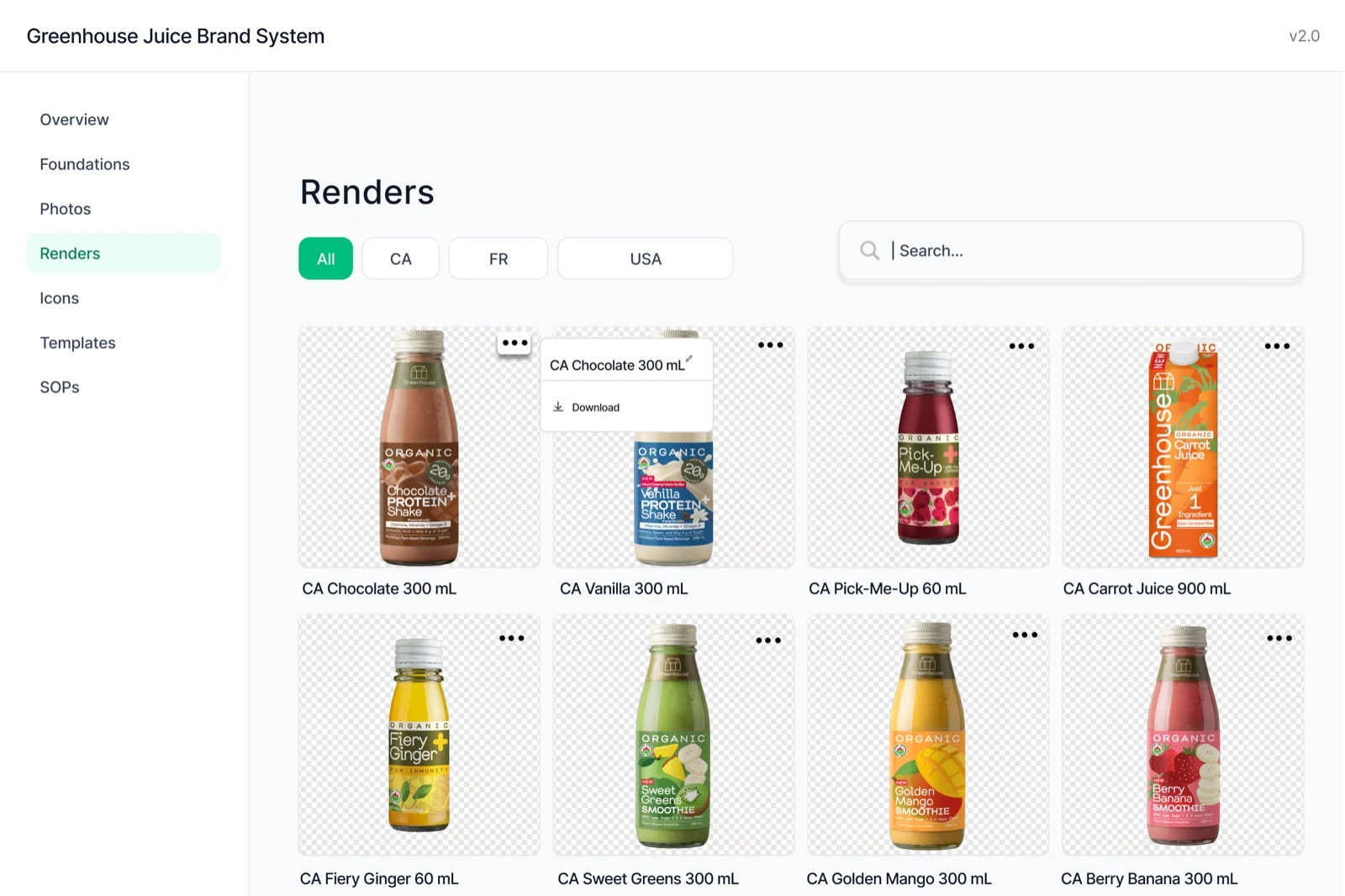
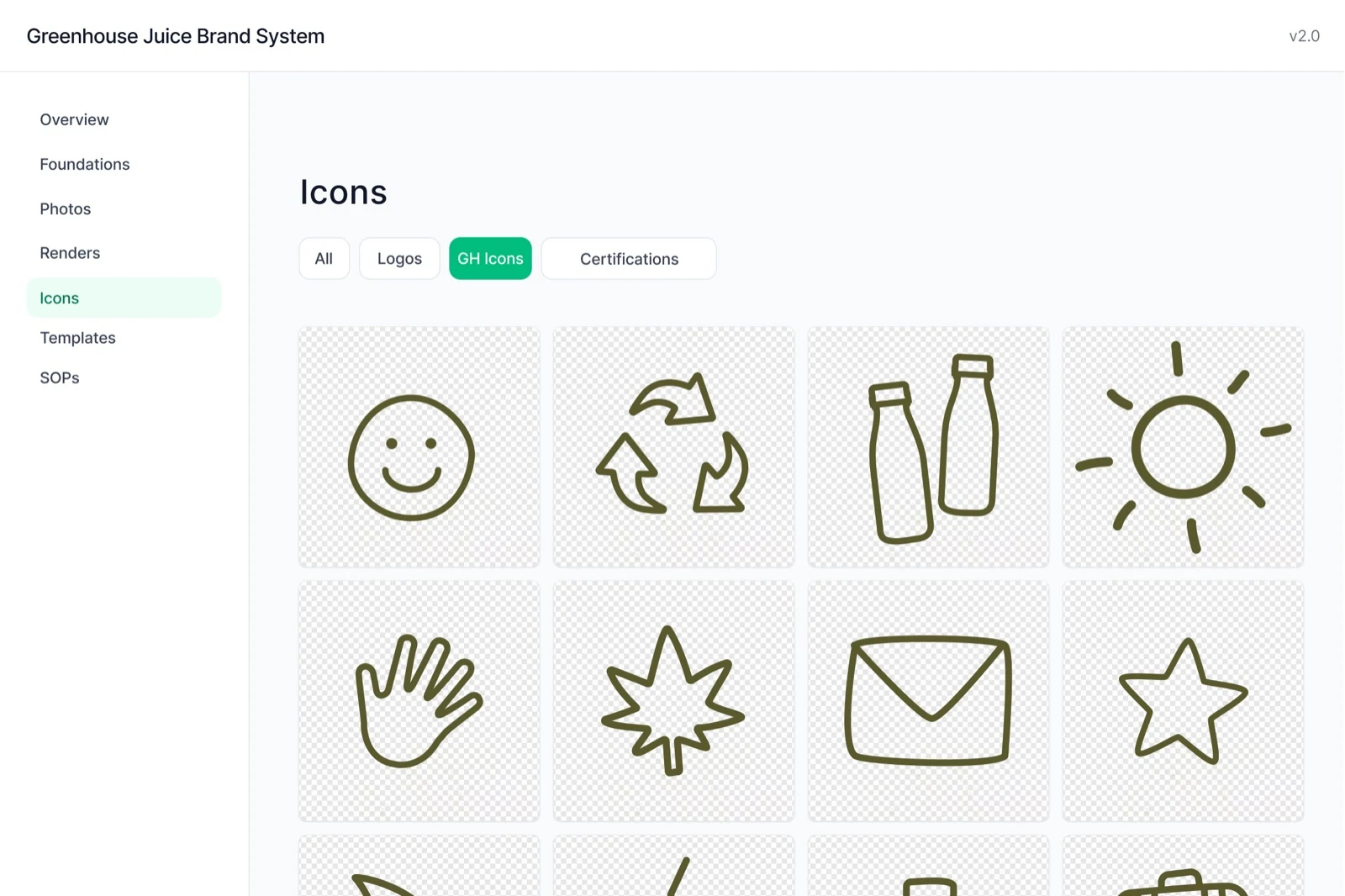
Low fidelity
The first version
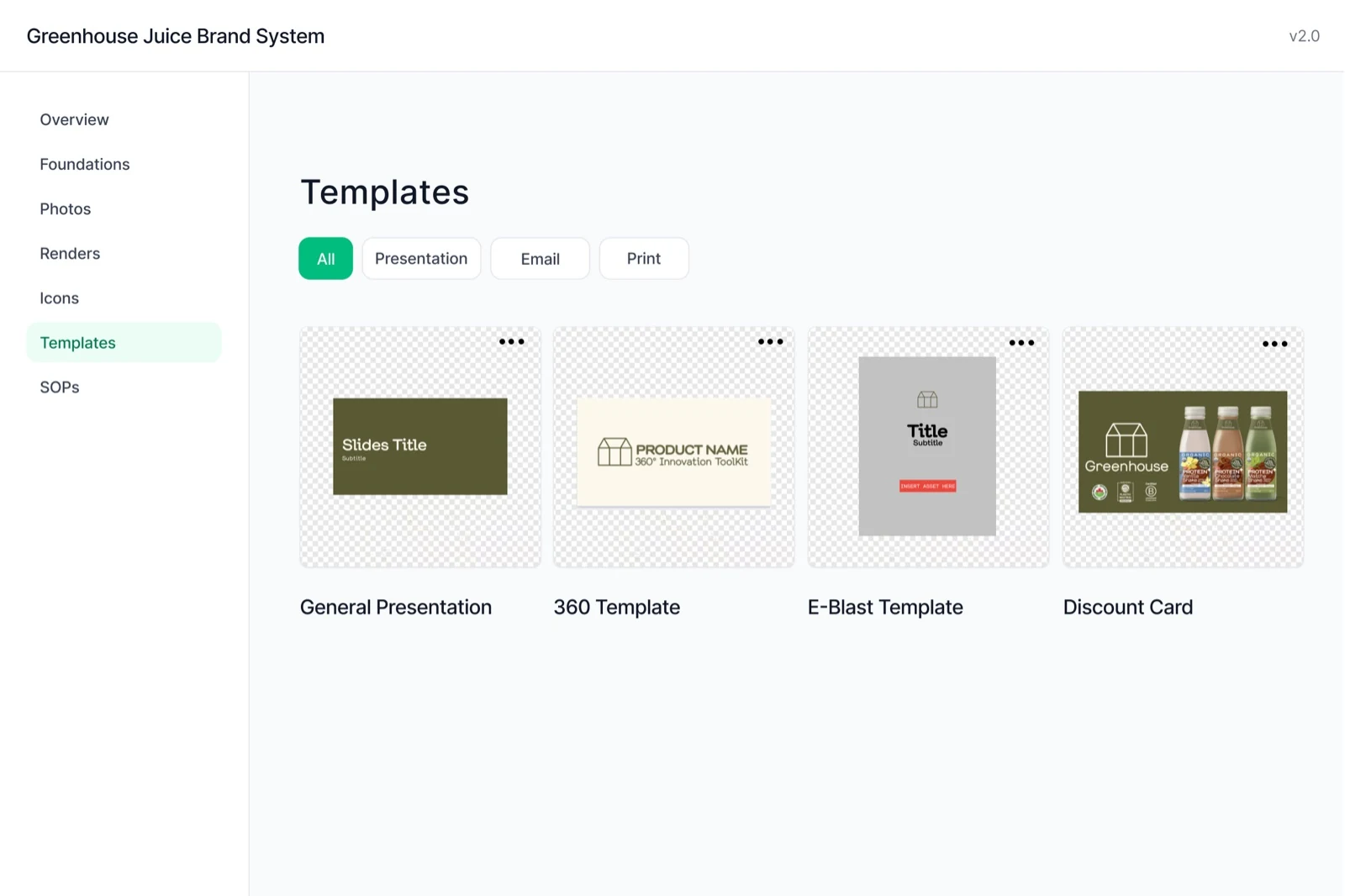
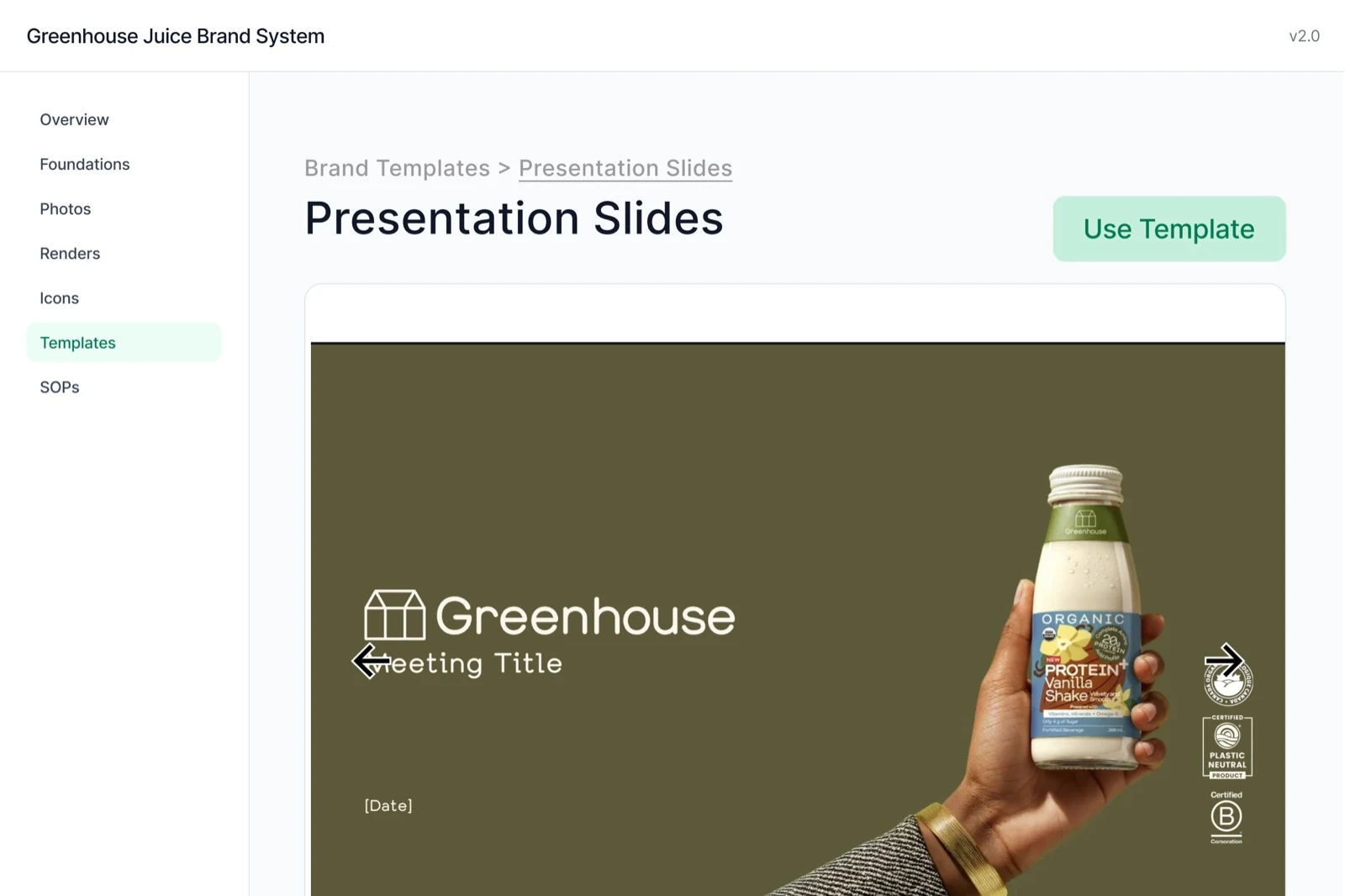
I shaped this first version by hand and through Figma Make's rough layouts. It had the sections people asked for, but not enough in them yet.
How I used AI
Fast drafts from AI, design constraints & craft from me
I used three tools, Figma Make, Figma and Claude Code. Figma Make just launched when I started, so the outputs were limited to 80 prompts per account. The model also didn't create components properly (often misaligned), or accurately follow a design system, so I built those myself. Then I worked through the user journey by hand in Figma.
-
 Figma Make
A bare first structure
I added the buttons and menus it couldn't make yet, and the design system it couldn't follow.
-
 Figma
The user journey, by hand
I worked through each step and added the detail it needed.
-
 Claude
The built library
Held to my Greenhouse style kit by a skill that checks its work
Claude built the library. Before it built anything, I gave it rules: a style kit with Greenhouse's colours, font and spacing. Then I wrote a Claude skill that checks its work against the style kit and flags any colour, font or spacing that drifts. It flagged spacing issues, and I fixed them.
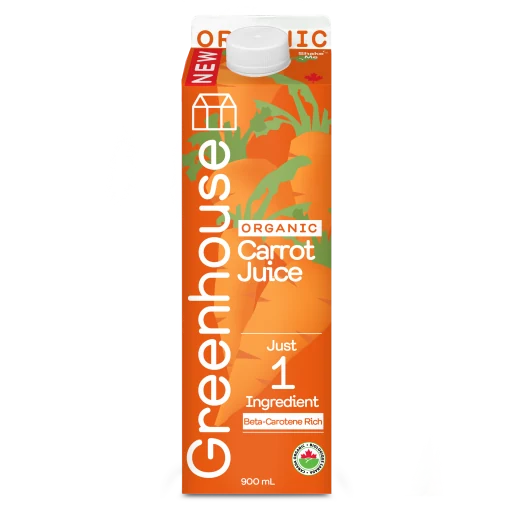
I wrote a checker that measures Claude's code against the style kit. Every colour, font size and gap has to be one of the kit's values, so if the gap under a render comes out at 18px, it flags it and points to 16, the nearest step.
What Claude wrote
After the check
In the code, the checker flags it like this:
WARN library.html:312 [size] margin-top: 18px is off the scale; use a --spacer-* or --size-* tokenShow the code ds-check.mjs
// Usage: node ds-check.mjs <tokens.css> <file-or-dir> [...more]
import fs from 'fs'; import path from 'path';
const [tokFile, ...targets] = process.argv.slice(2);
if (!tokFile || !targets.length) { console.error('usage: node ds-check.mjs tokens.css <files/dirs>'); process.exit(2); }
const tok = fs.readFileSync(tokFile, 'utf8');
const norm = s => s.trim().toLowerCase().replace(/\s+/g, ' ');
const allowed = { color: new Set(), space: new Set(['0', '1', '2']), text: new Set(), radius: new Set(['0']), dur: new Set(['0ms', '0s']) };
const bucket = name => /^--(text|leading|tracking)/.test(name) ? 'text' : /^--radius/.test(name) ? 'radius' : 'space';
for (const m of tok.matchAll(/(--[\w-]+):\s*([^;]+);/g)) {
  const v = m[2], b = bucket(m[1]);
  for (const c of v.matchAll(/#[0-9a-f]{3,8}\b|rgba?\([^)]*\)/gi)) allowed.color.add(norm(c[0]));
  for (const p of v.matchAll(/(\d*\.?\d+)(px|rem)\b/g)) allowed[b].add(p[2] === 'rem' ? String(+p[1] * 16) : String(+p[1]));
  for (const d of v.matchAll(/\d+m?s\b/g)) allowed.dur.add(d[0]);
}
const files = [];
const walk = p => { const s = fs.statSync(p); if (s.isDirectory()) { for (const f of fs.readdirSync(p)) if (!/node_modules|^\.|dist|build/.test(f)) walk(path.join(p, f)); } else if (/\.(css|scss|html|jsx|tsx|vue|svelte|astro)$/.test(p) && path.resolve(p) !== path.resolve(tokFile)) files.push(p); };
targets.forEach(walk);
const issues = [];
const add = (f, line, kind, msg) => issues.push({ f, line, kind, msg });
const SIZE_PROPS = /^(margin|padding|gap|row-gap|column-gap|top|right|bottom|left|inset|width|height|min-width|max-width|min-height|max-height|font-size|border-radius|line-height|letter-spacing)/;
for (const f of files) {
  const src = fs.readFileSync(f, 'utf8');
  src.split('\n').forEach((ln, i) => {
    const n = i + 1, code = ln.replace(/\/\*.*?\*\//g, '');
    if (/data:image|url\(/.test(code) && !/var\(/.test(code)) return;
    for (const d of code.matchAll(/([a-z-]+)\s*:\s*([^;{}"]+)/g)) {
      const [, prop, val] = d;
      if (prop.startsWith('--')) continue;
      if (!/shadow|mask|filter/.test(prop)) for (const c of val.matchAll(/#[0-9a-f]{3,8}\b|rgba?\([^)]*\)|hsla?\([^)]*\)/gi))
        if (!allowed.color.has(norm(c[0]))) add(f, n, 'color', `${prop}: raw color ${c[0]} is not a token value; use var(--color-*) or var(--glass-*)`);
      if (SIZE_PROPS.test(prop)) for (const p of val.matchAll(/(-?\d*\.?\d+)(px|rem)\b/g)) {
        const px = String(Math.abs(p[2] === 'rem' ? +p[1] * 16 : +p[1]));
        const b = /^font-size|^line-height|^letter-spacing/.test(prop) ? 'text' : /radius/.test(prop) ? 'radius' : 'space';
        if (!allowed[b].has(px)) add(f, n, 'size', `${prop}: ${p[0]} is off the scale; use a ${b === 'text' ? '--text-*' : b === 'radius' ? '--radius-*' : '--spacer-* or --size-*'} token`);
      }
      if (prop === 'font-family' && !/var\(--font-/.test(val) && !/inherit/.test(val)) add(f, n, 'font', 'font-family should be var(--font-sans) or var(--font-mono)');
      if (/^(transition|animation)/.test(prop)) for (const t of val.matchAll(/\b\d+m?s\b/g)) if (!allowed.dur.has(t[0])) add(f, n, 'motion', `${t[0]} is not a duration token; use var(--duration-*)`);
      if (/^(transition|animation)/.test(prop) && /cubic-bezier|\b(ease|ease-in|ease-out|ease-in-out|linear)\b(?!\()/.test(val.replace(/var\([^)]*\)/g, ''))) add(f, n, 'motion', 'raw easing; use var(--ease), var(--ease-in-out) or var(--spring-*)');
      if (prop === 'text-transform' && /uppercase/.test(val)) add(f, n, 'banned', 'all-caps text (no all-caps eyebrows)');
      if (/^background/.test(prop) && /gradient\(/.test(val) && !/mask/.test(code)) add(f, n, 'banned', 'decorative gradient');
      if (/^border-(left|top)$/.test(prop) && /\b[3-9]px\b/.test(val)) add(f, n, 'banned', 'thick one-sided border looks like an accent bar');
      if (prop === 'font-weight' && /\b(700|800|900|bold)\b/.test(val)) add(f, n, 'type', 'weights are 400/500/600 only; use var(--weight-*)');
    }
    if (/animation-timeline|IntersectionObserver.*(fade|reveal|animate)|data-aos|scroll-reveal/i.test(code)) add(f, n, 'banned', 'scroll-triggered animation');
    if (/—/.test(code)) add(f, n, 'copy', 'em dash in copy');
    if (/<img(?![^>]*\balt=)/i.test(code)) add(f, n, 'a11y', '<img> without alt');
    if (/<video/i.test(code) && !/<track/i.test(src)) add(f, n, 'a11y', '<video> without a captions <track>');
    if (/class="[^"]*\bglass\b/.test(code) && /class="[^"]*\b(card|pcard|quote|panel|stat)\b/.test(code)) add(f, n, 'glass', 'glass on content; glass is for floating controls only');
  });
}
const WARN = new Set(['size', 'motion']);
const by = {}; issues.forEach(x => (by[x.kind] = (by[x.kind] || 0) + 1));
for (const lvl of ['ERROR', 'WARN']) for (const x of issues.filter(x => (WARN.has(x.kind) ? 'WARN' : 'ERROR') === lvl)) console.log(`${lvl}  ${x.f}:${x.line}  [${x.kind}]  ${x.msg}`);
const errs = issues.filter(x => !WARN.has(x.kind)).length;
console.log(`\n${files.length} files, ${errs} errors, ${issues.length - errs} warnings ${JSON.stringify(by)}`);
process.exit(errs ? 1 : 0);
Feedback loops
Navigating 100% adoption
My real job was making 200 people want a tool they'd been told to use. At the first Lunch & Learn, people said it didn't have enough assets and they wouldn't use it.
More assets was the obvious fix. The harder lesson came after the second workshop, when I saw a limit in my own research method. A workshop captures what people think during one hour on one day. Gaps show up while someone is looking for a file, and that can happen any day of the week.
So I built an anonymous ticket system in SharePoint. Anyone could send a request or suggestion the moment they hit a gap. It brought in 20+ suggestions. I kept listening after launch, in three ways.
- Workshops, every month or two
- 1:1s with my manager, every two weeks
- Anonymous tickets, any moment
Final design
The design library
This is a remake of the library, since the originals are confidential. The first video shows every screen, the below video follows the journey of someone getting a render, sample copy and its barcode into a design.
All screens
A walkthrough of the final library. It opens Media, with photos and video, downloads a render in one click, sets the region to CA FR, and opens Sweet Greens to show its sample copy in French and English and its barcode. Then it shows a certification mark in beige, searches for the Sell Sheet template and turns to its product page, opens the SKU formatting SOP, and opens the Request an asset form.
Download-to-use flow
A walkthrough of finding a render and using it. In the final library, someone searches for “carrot”, picks the angled Carrot Juice render from the results, opens it and downloads the PNG in one click, and it lands in their Downloads folder. They copy its sample copy and download its barcode too. Then they open my carrot launch email, drag the render in from Downloads, where it drops into the empty frame under the NEW tag, paste the copy into the email’s footer and drag in the barcode, 6 29118 12007 5.
- 12+ years of design assets, in one place.
- About 4 hours saved per employee, every week. Designs ship about 3x faster.
- 20+ feedback updated into the final design.
Reflection
Listening doesn't have a finish line
The biggest thing Greenhouse taught me is that research keeps going after the interviews end.
My first plan had a finish line: talk to people, design, launch. The low-fidelity version failed because I only listened at moments I'd scheduled, and the ticket system fixed that.
I also came away seeing the mandate as a starting point. When adoption is guaranteed, the honest measure is whether people would pick the tool anyway.